
How to Update DNS Records for MailChannels
4 Minutes, 20 Seconds to Read.
If you’re managing your DNS elsewhere (your nameservers are not pointed to StanbroHosting nameservers) and need to update your SPF and TXT records for MailChannels on our Shared, WordPress and Reseller Servers, this guide will walk you through the process step-by-step for some popular domain registrars.
What Are SPF and TXT Records?
- SPF Record: Helps prevent email spoofing by specifying which mail servers are allowed to send emails on your domain’s behalf.
- TXT Record: A flexible DNS record used for various purposes, like email validation and verification.
For MailChannels, you’ll need to update your SPF record and add a new TXT record to ensure smooth email delivery.
General Information Before You Begin
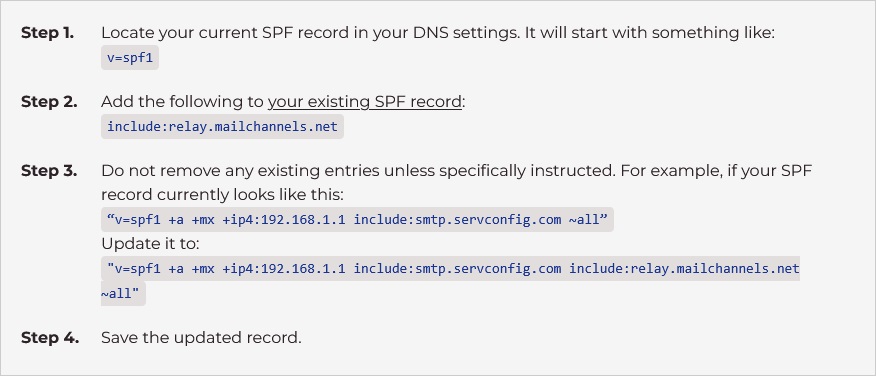
SPF Record Update
TXT Record Addition
In addition to updating your SPF record, you’ll need to add the following TXT record:
Record Name: _mailchannels.domain.com
Record Value: v=mc1 auth=stanbrohosting.
** Replace domain.com with your actual domain name.
How to Update DNS Records at Popular Registrars
General Steps for Updating SPF Records
GoDaddy
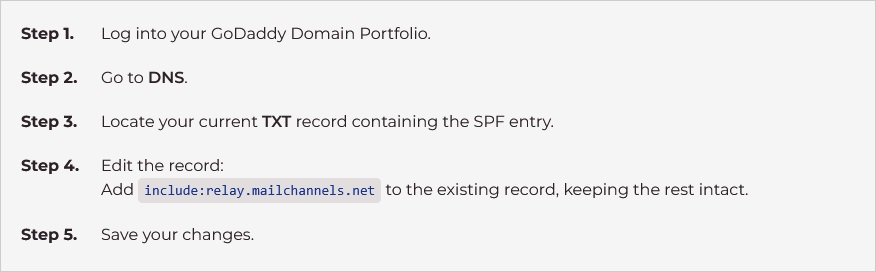
For more information, see GoDaddy’s Guide to Updating DNS Records.
Squarespace Domains
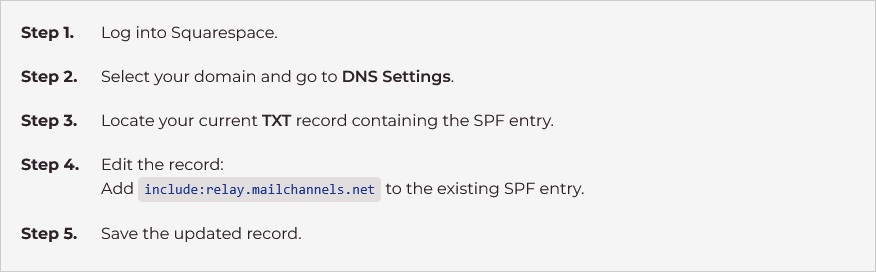
For more information, see Squarespace’s Guide to Updating DNS Records.
Namecheap
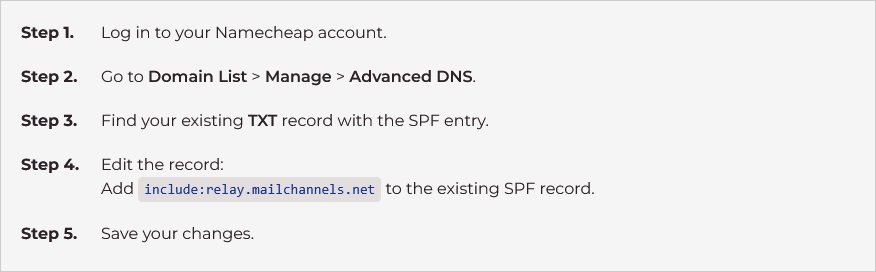
For more information, see Namecheap’s Guide to Updating DNS Records.
Bluehost
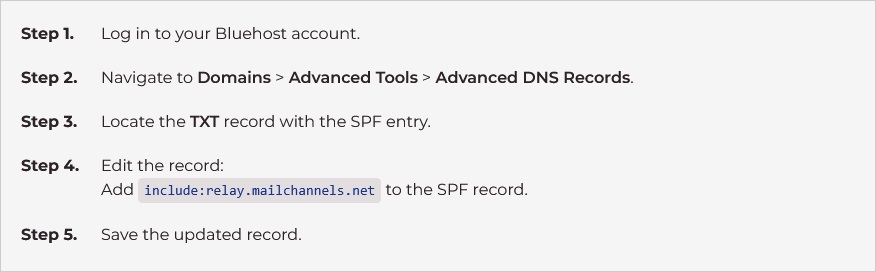
For more information, see Bluehost’s Guide to Updating DNS Records.
HostGator
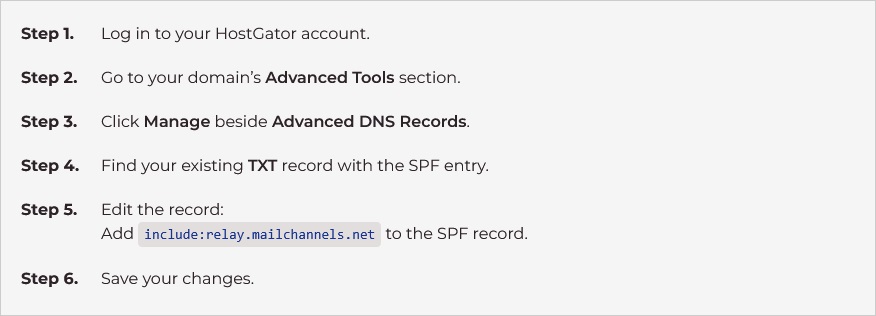
For more information, see HostGator’s Guide to Updating DNS Records
Cloudflare
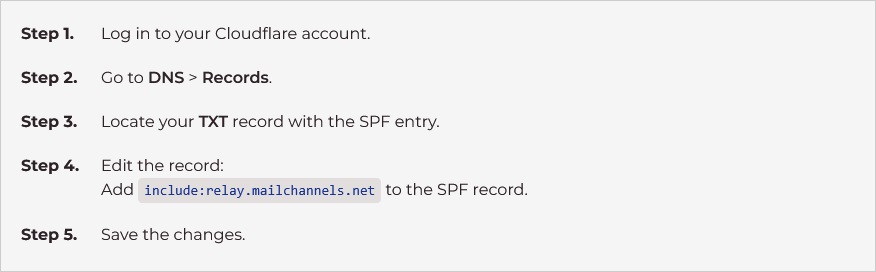
For more information, see Cloudflare’s Guide to Managing DNS Records.
Dynadot

For more information, see Dynadot’s Guide to Updating DNS Records.
Name.com
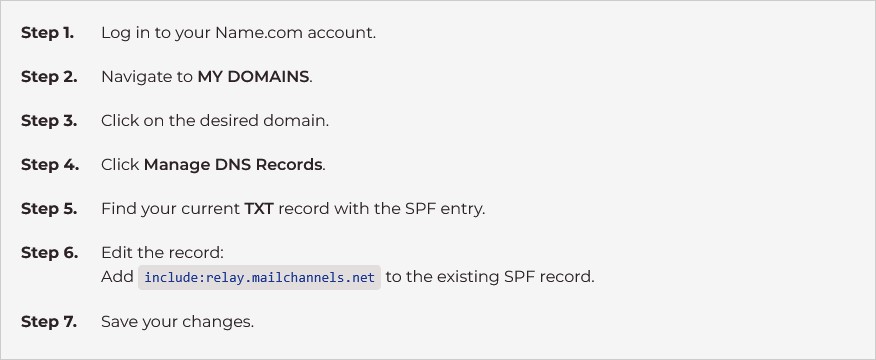
For more information, see Name.com’s Guide to Updating DNS Records.
IONOS
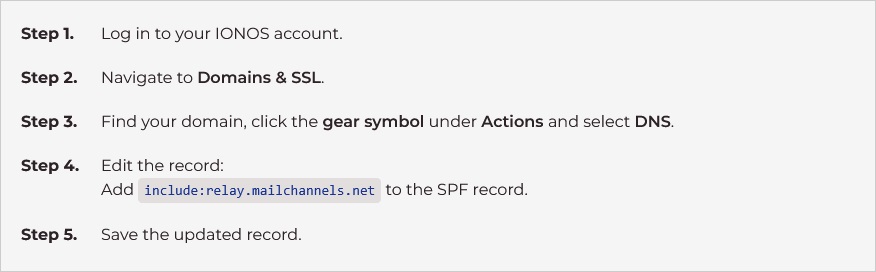
For more information, see IONOS’s Guide to Updating TXT Records.
AWS Route 53
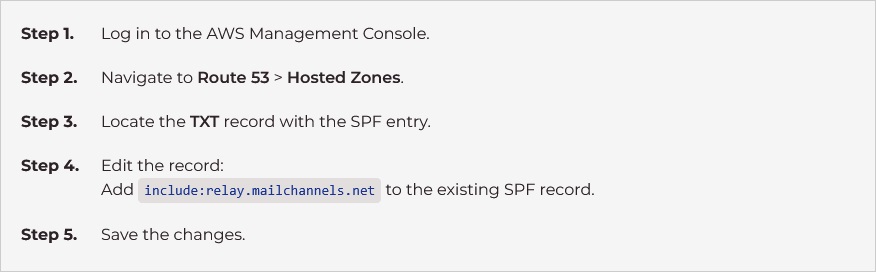
For more information, see Editing Records on Amazon Route 53.
Adding the TXT Record for MailChannels
In addition to updating your SPF record, you’ll need to add the following TXT record:
- Record Name:
_mailchannels.domain.com - Record Value:
v=mc1 auth=stanbrohosting
** Replace domain.com with your actual domain name.
Follow the same process above to access the DNS settings for your domain and add this new TXT record.
Conclusion
Following these steps ensures your DNS is properly configured for MailChannels on our Shared, WordPress and Reseller servers, improving email deliverability and security. If you encounter issues or have questions, our support team is here to help!